An Overview of the Various Payment Methods
Whether you prefer to pay at a parking meter on-site, use your smartphone, buy a ticket online as a long-term parkers, or just want to stop worrying about it altogether—here you'll find all the options in detail.
At the on-site parking meter
You can pay right at the parking lot using our parking meters—it's traditional and hassle-free.
Here's what this method offers you
- No smartphone or internet connection required
- Cash and card payments accepted on-site
- Discount codes can be easily redeemed using a QR code
- You don't pay until just before you leave
Here's how it works
1. Select the type of parking stay
Depending on the parking space, you can choose between “I’m leaving” (payment based on the exact parking duration) and/or “Daily Pass” (time-based ticket).
If you pay based on the exact duration, you won't have to pay until just before you leave. You can purchase a time-based ticket flexibly either immediately upon arrival or before you leave, since the system is digital and there are no checks while you're parked.
2. Enter the license plate number and confirm
Then enter your license plate number directly into the machine. After you enter four digits, the machine will automatically suggest possible license plates—to make the process even faster. Of course, you can also enter your license plate number in full yourself.
After a brief confirmation, the machine will display all the details of your parking session.
3. Optional: Apply a discount
Do you have a discount? Just tap the corresponding button on the screen and hold the QR code up to the QR code scanner. A valid code will be confirmed immediately.
4. Pay for parking
Depending on the ATM, you can use a debit or credit card (via the terminal or NFC), make contactless payments via Apple Pay and Google Pay (NFC), or pay with coins.
Once payment is complete, a confirmation will appear, and you can request a payment receipt if you wish. Finally, you'll see how much time you have left to leave the parking space.
Digitally on your own smartphone
With our mobile payment service, you can conveniently pay digitally using your own smartphone. You can do this either just before you exit—for example, on your way to your car—or up to 24 hours after you’ve exited.
Here's what this method offers you
- No need to walk to the parking meter or wait in line at it
- No app installation or registration required
- Forgot to pay? At many parking lots, you can still pay digitally up to 24 hours after leaving (post-payment).
- Free choice among several payment methods
Here's how it works
1. Enter the license plate number
Scan the QR code posted in the parking lot, which will redirect you to https://parken.mh-parkservice.de/, and enter your license plate number there—no app or registration required.
You'll be notified immediately if you're in the process of parking. If your parking session is still free or is being processed through Automatic Payment, you'll be notified—you don't need to do anything else.
If you've already left but are still within the 24-hour window for making a late payment, you'll see a list of all unpaid parking transactions to choose from.
2. Pay the parking fee
Click "Pay Now" to pay the parking fee—you can choose to pay by credit card, Apple Pay, Google Pay, or Klarna Pay Now.
3. Email confirmation, including payment receipt
Once your payment has been processed, you will automatically receive an email with your payment receipt.
Long-Term Parking Tickets in the Online Store
Do you park in the same spot often—are you an employee or a resident? In the web-based Mobility Hub online store, you can purchase various types of tickets that make regular parking and payment easier. You can find your personal link to the online store on your intranet, for example.
Here's what this method offers you
- No need to walk to the parking meter or wait in line at it
- The Right Ticket for Your Needs
- No app installation required
- You don't have to pay each time you enter the parking lot
- A timely reminder before your ticket expires or your credit runs out
- Free choice among several payment methods
Here's how it works
1. Register
Use your email address to register with the web-based online store.
2. Select a parking ticket
Once you've successfully registered, you'll see all available tickets on the home page—such as Automatic Payment, a time-based ticket (e.g., monthly or annual ticket), a multi-use ticket (such as a strip ticket), or a time-limited ticket (e.g., for residents only in the evenings).
3. Optional: Set the start time
Depending on the ticket type, the process will guide you through setting a start time—you can't miss it.
4. Enter the license plate number
Enter one or more license plate numbers. Please note that a ticket can only be used with one registered license plate number at a time, never with multiple at the same time.
5. Pay & Confirm
You can pay by credit card, Apple Pay, Google Pay, or Klarna Pay Now. Once your payment is processed, your purchase will be confirmed, and you'll receive a payment receipt via email.
6. Email Reminder
Four days before your time-based ticket expires, or shortly before the balance on your multi-ride ticket runs out, you'll receive a reminder email and can purchase a new ticket if needed.
Automatic Payment
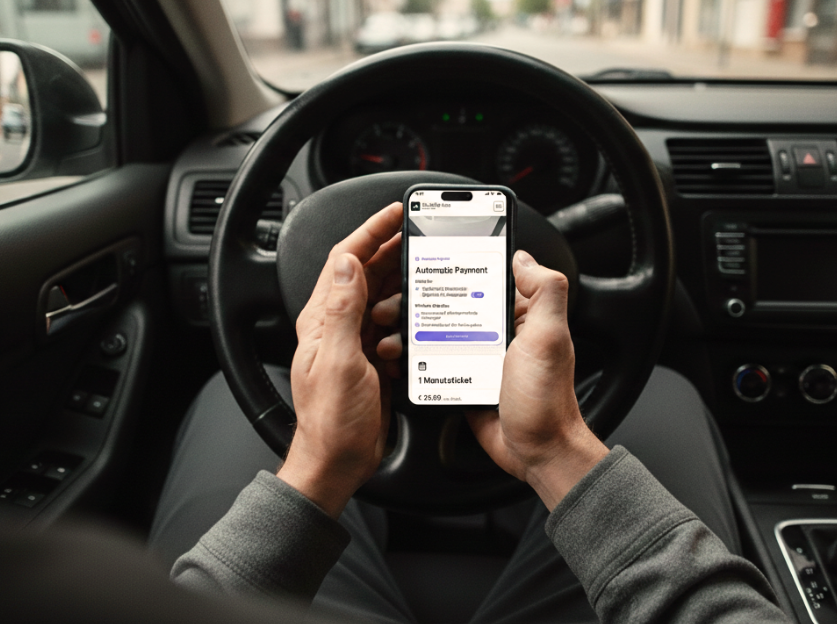
The most convenient payment option of all: Once you've registered with the online store and activated Automatic Payment, the payment process takes care of itself—it's virtually impossible to forget.
Here's what this method offers you
- Drive in, park, drive out—done, without even having to think about paying
- No app installation required
- Full transparency regarding all current and past parking transactions in the account
- Email confirmation with parking fee for each exit
- One consolidated monthly statement instead of countless individual payments
- Free choice among several payment methods
Here's how it works
1. Register
You can register with your email address in our web-based online store. You’ll receive the link to the online store from your employer or landlord, or via a QR code in the parking lot.
2. One-time: Enable Automatic Payment
Enter your license plate number(s) and set up your preferred payment method—credit card, Apple Pay, Google Pay, or Klarna Pay Now. Once the payment method has been authorized, you'll receive confirmation that Automatic Payment is active.
3. From then on, it's simple: drive in, park, drive out—done
Every parking session starts and ends automatically in the background. You can clearly view all ongoing and completed sessions in your account (including the date, parking duration, amount, and license plate number).
Every time you park, you'll receive an email confirming that the parking session has ended and showing the parking fee.
Billing always takes place at the beginning of the month for the previous month—so you don't pay for each parking session individually, but rather in a single payment.
Avoiding Common Mistakes
Even the simplest payment method can fall apart because of small details. These are the most common pitfalls—and here's how to avoid them:
- License plate number entered incorrectly: Before confirming, check that you've actually entered the correct license plate number or the payment method you want to use—otherwise, you've entered it incorrectly.
- Reminder email ignored: Be sure to buy a new long-term parking pass in time—otherwise, you'll have to pay the regular rate again once it expires.
- Your payment method has expired: Make sure to keep your payment method on file in Automatic Payment up to date—otherwise, the automatic debit may fail.
- License plate change not updated: Do you have a new car? Or are you using a family member's car? Update your license plate number or add another one to your online account so that Automatic Payment or your long-term parking pass remains valid.
Conclusion
Whether at a parking meter, via smartphone, with a monthly pass, or completely automatically: Mobility Hub offers you the right payment method for every parking situation—transparent, fair, and hassle-free. It’s best to check on-site or on the parking lot owner’s website to see which options are available at your parking spot. That way, you can quickly find the method that works best for you. Easy parking. Easy payment.